

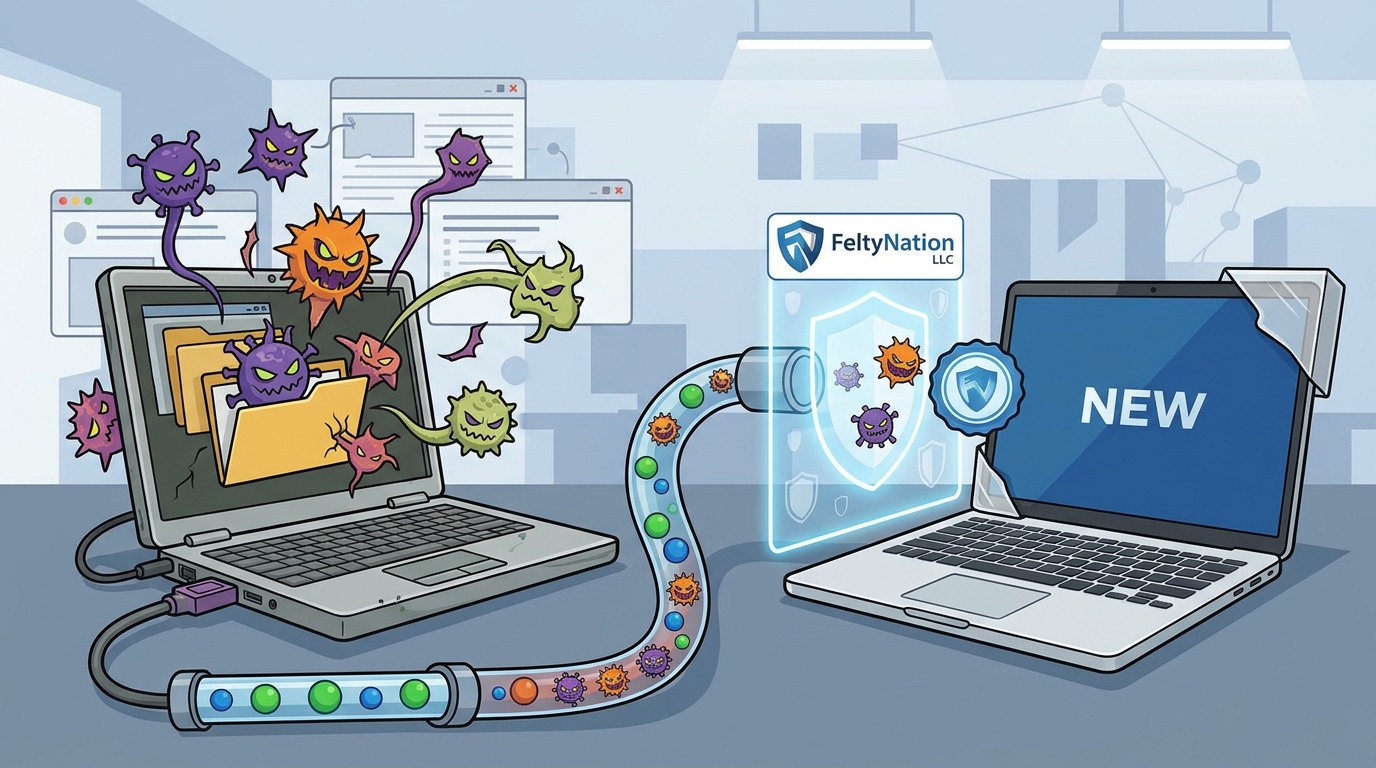
Before you migrate data to a new machine, you must verify the old one is clean. Malware can hide in files, system processes, and browser settings. If you copy infected data to a new computer, you risk spreading the threat to your fresh setup. FeltyNation LLC helps users identify these risks and safely transfer data without carrying over digital infections.
Understanding Malware Behavior
Many users assume that a computer running smoothly is safe. This is a dangerous misconception. Some advanced malware is designed to remain dormant until triggered by a specific event. This means your old computer might look fine on the surface but still harbor threats. A thorough check is essential before any data migration. For additional details, review the FeltyNation LLC About.
Visible Symptoms of Infection
Some malware leaves visible traces that alert users to a problem. These symptoms are often the first signs that something is wrong. Paying attention to these changes can save you from migrating infected data. Here are the most common visible indicators to watch for. For additional details, review the FeltyNation LLC.
- Slow Performance: Your computer takes much longer to start up or open applications. This happens because malware consumes system resources.
- Pop-up Ads: Unexpected advertisements appear in your browser or on your desktop. This is a classic sign of adware.
- Changed Browser Settings: Your homepage or search engine changes without your permission. This is often caused by browser hijackers.
- Unfamiliar Programs: New applications appear in your start menu or program list that you do not recognize.
The Mobar news report highlights that an infected workstation can lead to the spread of viruses to a network. If you see these symptoms, do not ignore them. They are clear warnings that your system is compromised.
Subtle Indicators and System Changes
Not all malware is obvious. Some infections are subtle and only affect system operations in minor ways. The Cybersecurity and Infrastructure Security Agency (CISA) notes that there is no single way to identify an infection. Some infections destroy files, while others subtly affect normal operations. You must look for these subtle changes.
Check your system processes using the Task Manager. Look for processes using high CPU or memory that you do not recognize. Also, check your startup programs. Malware often adds itself to the startup list to run every time you boot your computer. If you see unfamiliar entries, investigate them immediately.
Another subtle sign is unexpected network activity. If your internet connection slows down or you see high data usage when you are not doing anything, malware might be sending data to a remote server. This is common with spyware and botnets. Monitoring your network usage can reveal these hidden threats.
Running a Full System Scan
The most reliable way to detect malware is to run a full system scan with reputable antivirus software. The National Cybersecurity Alliance recommends using antivirus software to run a full-system scan. It is best to set your antivirus program to do this automatically on a regular basis. This ensures you detect issues before they become emergencies.
Before scanning, make sure your antivirus definitions are up to date. Outdated definitions will not detect new threats. Run the scan in safe mode if possible. This prevents malware from interfering with the scan process. A full scan can take several hours, so plan accordingly.
If the scan finds threats, quarantine them immediately. Do not simply delete them without understanding what they are. Some malware requires specific removal steps. If you are unsure, seek professional help. FeltyNation LLC offers virus and malware removal services that include a tune-up to ensure your system is clean and fast.
Safe Data Migration Practices
Once you have confirmed your old computer is clean, you can safely migrate your data. However, you should still take precautions. Do not simply copy all files from your old computer to the new one. Instead, select only the files you need. This reduces the risk of accidentally copying hidden malware.
Scan the files you intend to copy on the new computer. This adds an extra layer of protection. If you are moving large amounts of data, consider using a clean external drive as an intermediary. Format the drive before use to ensure it is free of any existing threats. This method is safer than a direct transfer.
FeltyNation LLC provides data backup and transfer services for up to 200 GB. This service ensures your data is moved safely and securely. We handle the technical details so you can focus on setting up your new computer. Our team ensures that no malware is carried over to your new system.
Key Takeaways
- Malware is a broad term for malicious software that can harm your computer.
- Always run a full system scan with updated antivirus software before migrating data.
- Select only the files you need to copy to reduce the risk of transferring malware.
- Scan files on the new computer after copying them for an extra layer of protection.
- Consider using a clean external drive as an intermediary for large data transfers.
Frequently Asked Questions
What is the first sign of a computer virus?
The first sign is often a noticeable drop in performance. Your computer may take longer to start up or open applications. This happens because malware consumes system resources in the background.
Can I transfer files from an infected computer to a new one?
You should not transfer files from an infected computer without cleaning them first. Malware can hide in files and spread to your new system. Always run a full scan and remove any threats before migrating data.
How do I know if my antivirus is working?
Check if your antivirus is up to date and running in the background. You can also use online tools to test its detection capabilities. If you are unsure, consider using a reputable second-opinion scanner.
What should I do if I find malware on my old computer?
Quarantine the malware immediately using your antivirus software. If the infection is severe, consider formatting the drive and starting fresh. Do not use the infected computer for sensitive tasks until it is clean.
Is it safe to use an external drive for data transfer?
Yes, if the drive is clean. Format the drive before use to ensure it is free of any existing threats. Scan the drive after transferring data to confirm it is clean.
How often should I scan my computer for malware?
It is best to set your antivirus program to run a full scan automatically on a regular basis. Weekly scans are a good practice for most users. More frequent scans are recommended if you download files from untrusted sources.
Conclusion
Identifying virus signs before setting up a new computer is a critical step in protecting your digital life. By understanding malware behavior, watching for visible and subtle symptoms, and running thorough scans, you can ensure a safe migration. FeltyNation LLC is here to help you navigate this process with confidence. We offer expert virus removal and data transfer services to ensure your new computer starts clean and secure. Book an appointment with us today to get started.